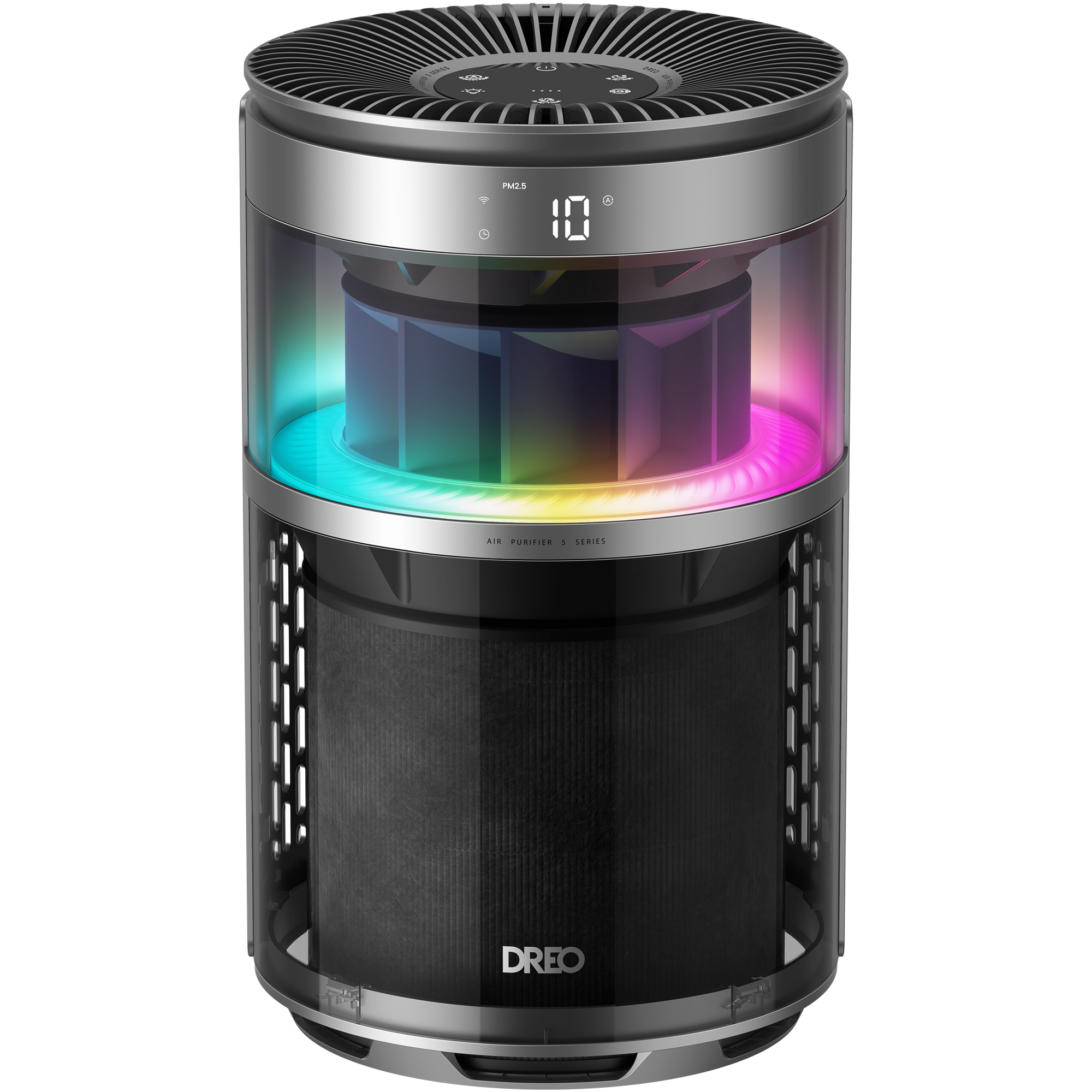
Air Purifier 530S
Version
Version
Documentation
- DR-HAP010S User Manual V12026-04-24
- DR-HAP010S User Manual US/CA2026-04-24
- FiberCatch Pre-Filter User Guide2026-04-10
- Air Purifier Filter User Guide2026-05-07
- PM2.5&Filter Description2026-08-12
FAQ
Cleaning and Maintenance
Cleaning the Inside & Outside
- Unplug the air purifier before any cleaning and maintenance.
- Remove the filter and clean the inside of the purifier with a dust vacuum.
- Wipe clean the housing of the purifier with a dry, soft, non-abrasive cloth.
- For optimal use, the outer pre-filter can be cleaned with a soft, dry brush once every 2-4 weeks.
- It is recommended to clean the AQ sensor on the back with a dust vacuum at least every three months.
Cleaning the Filter
- For optimal use, the outer pre-filter can be cleaned with a soft, dry brush once every 2-4 weeks.
- Keep away from water and humid areas. Moisture will allow mold to grow.
Cleaning the Light Compartment
- Unplug the appliance. Locate the alignment mark on the air outlet grille to identify the screw on the air guide vane, then loosen the screw.
- Rotate the grille counterclockwise to unlock and remove it.
- Remove the air guide vane.
- Clean the light compartment using the included cleaning brush. Note: Do not use corrosive cleaning agents.
- Reinstall the air guide vane after cleaning. Note: Ensure the alignment mark lines up with the screw.
- Place the grille back. Rotate it clockwise to lock it in position, and tighten the screw.
Why is the air purifier unable to connect to Wi-Fi?
- Ensure the air purifier is being connected to a 2.4 GHz Wi-Fi network. It does not support 5 GHz networks.
- Verify that the home Wi-Fi connection is stable. Placing the air purifier closer to the router can help ensure a stronger signal during setup. Also, confirm that the Wi-Fi password has been entered correctly.
- Reset the Wi-Fi connection on the air purifier and start the network setup process again.
- If the connection still fails, try connecting the air purifier using a 2.4 GHz mobile hotspot. If the hotspot connection is successful, the issue is likely related to the home network configuration.
What can the air purifier filter remove?
- Pre-filter: Captures larger particles such as hair, household dust (lint, paper scraps, textile fibers), fluff, dander, and common pollen (typically 10–100 μm).
- HEPA filter: Removes fine particles including PM2.5, smaller pollen (≤5 μm), dust mites, and smoke.
- Activated carbon layer: It is particularly effective at reducing common odor-causing compounds such as ammonia (urine odors), hydrogen sulfide (excrement odors), and acetic acid (feces odors, canned food smells, and bad breath). Other types of odors may be reduced to a lesser extent depending on concentration and environmental conditions.
What does the filter consist of?
It consists of a PET mesh, a H13 HEPA filter (filter media), modified carbon (CTC 60), a plastic filter cover, and a sealing foam layer.
How often should the filter be replaced?
The filter life is measured by the air purifier's algorithm based on the operating mode, fan speed, run time and indoor air quality. It is recommended that the filter be cleaned every 2-4 weeks and replaced every 6-8 months or when the filter changes reminder alerts. The filter change reminder will flash when the filter needs to be replaced.
How to replace the pre-filter
For optimal performance, it is recommended to replace the pre-filter approximately every 1.5 months. The replacement frequency may vary depending on factors such as the number of pets, pet type, and shedding cycles, so it can be adjusted based on the actual amount of hair accumulation.
Unplug the air purifier before performing any maintenance.
- Remove the filter from inside the air purifier.
- Peel off the used pre-filter.
- Attach the new pre-filter by aligning one side with the Velcro and rolling it around the filter until it fully covers the surface.
Note: Ensure the pre-filter completely covers and seals the main filter before using the device.
Does the air purifier or the filter contain PTFE (Teflon)?
The product is PTFE-free and is safe for use around birds and other small pets when used as directed.
Why the Filter Changer Reminder is still on when I changed the filter?
The Filter Change Reminder will not automatically reset. Please press and hold the Filter Reset button to reset the reminder. The indicator will turn off after resetting. Or you can also reset it via the button icon in APP.Why does the new machine smell like plastic when it is running for the first time?
The machine has been in a closed package after leaving the factory, and there will be some smell of packaging materials attached. It is recommended to set the device to turbo mode when using it for the first time, and run it for half an hour without a filter. Then re-install the filter to use it again.
Note: The protective film of the filter needs to be removed before installationWhy does my air purifier produce an unpleasant smell?
• During the initial few days, new air purifiers produce a plastic smell, which is normal and will dissipate eventually.
• Do not add essential oils or diffusers into the air purifier or use in an excessively humid area. Humidity will cause mold to grow.
• If the filter has absorbed pollutants to its maximum capacity, then the smell may come from the dirty filter. Please replace the filter when necessary.Why the Filter Changer Reminder is still on when I changed the filter?
The Filter Change Reminder will not automatically reset. Please long press the Auto Mode button for 5s to reset the reminder. The indicator will turn off after resetting. You can also reset it via the button icon in the APP.
Note:
- The reminder applies only to the HEPA filter.
- Replacement of the pre-filter (floating hair layer) is not tracked by the system and should be done based on its actual condition.
What do the different colored lights represent?
- Blue color means the air quality level is excellent. 0~10
- Green color means the air quality level is good. 10~30
- Orange color means the air quality level is moderate. 30~150
- Red color means the air quality level is poor. >150
Why does the air purifier show code LC?
LC means the child lock function is activated.
Long press the LED Light On/Off Button and RGB Light Button for 3 seconds to activate/deactivate the child lock function.
Why the air purifier doesn't improve the air quality?
- Make sure the unit is used within the recommended coverage area. If the room size exceeds this range, the purification performance will be reduced.
- Check if the filter packaging has been removed.
- The overloaded filter will make the fan work harder to pass the air through. Consider replacing the filter if it is clogged.
- Check if the air outlet and inlet are obstructed.
- Make sure the windows are closed as polluted air may continue coming in from outside the windows.
- Do not place in crowded areas and corners.
- When the pollution concentration is high, it is recommended to increase the fan speed to the highest level for more effective purification.
Why is the air quality sensor reading inaccurate?
- The sensor has a built-in self-calibration function. Moving the unit to a cleaner environment and running it for about 1 hour allows automatic recalibration.
- Regular cleaning of the sensor inlet helps prevent dust accumulation.
- A simple test can be performed by covering the purifier with a bag. If the PM2.5 reading changes rapidly (typically decreases), the device is functioning correctly. If the reading remains high, relocating the device to a clean environment will allow automatic recalibration. If the issue persists, customer service can arrange a replacement according to the service policy.
Why the odor in the room is very strong, but the Air Quality Indicator is only green or blue?
The Air Quality Sensor detects PM 2.5 particles but cannot detect odors.
- Air purifiers cannot completely eliminate odor; they may only reduce it slightly through airflow dilution. The purifier is more effective at removing odors in smaller spaces. In larger areas, odor removal performance may be less noticeable.
- For pet urine odors, using a pet-specific Dreo air purifier is recommended.
- To reduce odor, ventilating the room is the most effective method. Alternatively, using an air purifier with essential oils can help mask the odor.
- Check the filter’s lifespan. If the filter has reached the end of its service life, replace it to restore odor removal performance.
Why is the air purifier making an unusual noise?
- The turbo mode will produce a higher noise level as the fan is at the maximum speed to clean the air in the room more quickly. Switch the air purifier to sleep mode or lower fan speeds.
- Make sure the air purifier is operating on a flat, stable surface.
- Check if the filter is placed properly or if the filter packaging has been removed.
- If the unusual noise still exists, there may be external objects blocking the air openings. Small objects may be removed by carefully inverting the unit. If larger objects are stuck or cannot be removed, contact customer service for guidance on disassembling the unit safely.
Why is there no airflow when the air purifier is running?
Foreign objects may have fallen into the unit, obstructing the fan wheel.
- Small objects may be removed by carefully inverting the unit.
- If larger objects are stuck or cannot be removed, contact customer service for guidance on disassembling the unit safely.
Where should the air purifier be placed?
- Place the air purifier on a flat, stable surface and plug it into a power outlet.
- For optimal performance, keep the unit at least 15 inches (38 cm) away from walls, curtains, furniture, or other obstructions to ensure proper airflow.
- If maintaining a 15-inch clearance is not practical, keep a minimum distance of 2 inches (5 cm) from surrounding objects.